

- Description courte
- Admin Quick Edit PRO lets you quickly and easily edit product details directly in list views, saving time with batch edits and relative value changes. Select columns, sort them, filter by phrases or ranges, and use direct links to store pages—all while maintaining multilingual support and AJAX-based functionality.
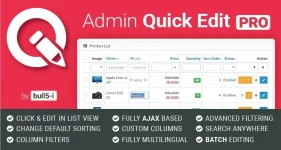
On Catalog (categories, products, filters, recurring profiles, reviews, downloads, options, attributes, attribute groups, informations and manufacturers), Design (SEO URLs), Customers (Customers), Marketing (marketing, affiliates, coupons) and Sales (orders, returns, vouchers and voucher themes) pages Admin Quick Edit PRO enables you to quickly edit the values in place without having to leave the list view and open the conventional item edit page, so you can save a lot of time. Furthermore, you can relative edit numeric values and batch edit multiple items at once (also in combination), so you can save even more time. This is ideal for shops with lots of products and big turnover where prices, quantities, etc often need to be changed.
For a full list of quick editable values, please refer to the extension forum page.
Additionally the extension allows you to select, sort and filter the columns displayed on Catalog, Marketing and Sales list view page and determine the columns that can be quick edited.
Editing items has never been so fast & easy before - just click on the value you want to change, edit it and hit Enter (or press Save where appropriate) to save the changes. Clicking outside the edit box or pressing Esc (or Cancel button where appropriate) will cancel the edit.
Features
- Batch editing
Select multiple items and edit them all at once - Relative editing
Edit numeric values relative to the previous value or product price (for price values) (for OC 3.0) - Selectable columns
Choose the columns you wish to see in the list view, hide the rest - Sortable columns
Arrange columns in custom order, change default sorting - Enable/Disable quick editing per column
Control which columns can be quickly edited and which not - Search anywhere
Filter string matches tokens anywhere in the phrase. - Interval filtering for numeric values
Filter items within a value range (e.g. price between 100 and 300 or quantity above 10) - Alternating row colour + hover highlighting
Makes viewing long lists easier - Direct links to store
Quickly view products, categories, manufacturers and information pages in the store (with multistore support) - Status highlighting
Displays disabled items in red, so they can be easily found. - Fully multilingual
In multilingual shops you can quickly edit the values for any language - Fully AJAX based
No page refreshes are needed - Option for single or double click quick editing


