

- Description courte
- The Shinewash app simplifies car-washing startups with a user-friendly dashboard, co-worker management, detailed service listings, and appointment tracking features. Ideal for online businesses looking to streamline their operations efficiently.
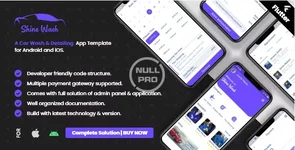
The Shinewash application, the app for car-wash all ready for the users to use it. Let’s look at the go-to guide of the Shinewash application where you can right now start starting up with the startup business. Take your online business with the Shinewash Application.
Dashboard
The dashboard is the first preview when you open the application. The mobile application should look impressive to attract users. The dashboard provides all the information that is included in the application when we use it.
User’s ratio
The dashboard includes the ratio of the total users of the application who are availing of the services of the Shinewash application. The ratio shows the low and high ratio of the users that are visiting and availing of the services provided by the Shinewash application.
Co-workers
The list of co-workers that are working for the carwash services under the Shinewash is listed under the heading of the co-worker’s list with an email address and also their contact number. One can contact any of the co-workers for the work or any other details. The contact options are given as an email address and contact number.
Services available
The services that are provided through this application are listed under this heading with the mentioned prices. The prices are mentioned according to the services as it has different prices according to the services that are availed by the users.
Appointments
The appointments are graphed and taken out in the ratio so that it is recorded for the reference. The total appointments that users use are mentioned in the graphs so that it is easy to calculate and mark the ratio along with it.
Category
- The categorical services are placed under the category name where the different types of services are offered in front of the users. The services you will provide will be listed in front of the users. If you want to add any category, there is the “add category” button given on the top right corner of the screen.
- Once you click on the “add category”, there will be a simple box given where you will add the name of the category and save it.
- The saved category will appear on the screen with the status that you have put of being available or not. The category will appear on the screen with the status of availability.
- Once you set the options for the availability status there is an action button where you can delete the service category from the list. It becomes easy to look at the availability of the services to avail for the users.


