

- Description courte
- Divjoy: A Next.js Starter Kit with Supabase, Stripe, and Tailwind CSS. Get started with authentication, database hooks, and deployment to Vercel. Learn more at divjoy.com/guide.
https://divjoy.com/guide/next-supabase-db-stripe
From README.md
Install dependencies
npm install
Update your .env file with values for each environment variable
API_KEY=AIzaSyBkkFF0XhNZeWuDmOfEhsgdfX1VBG7WTas
etc ...
Run the development server
npm run dev
When the above command completes you'll be able to view your website at http://localhost:3000
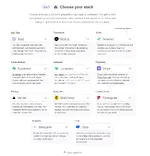
This project uses the following libraries and services:
- Framework - Next.js
- UI Kit - Tailwind
- Authentication - Supabase
- Database - Supabase
- Payments - Stripe
- Newsletter - Mailchimp
- Contact Form - Formspree
- Analytics - Mixpanel
- Hosting - Vercel
Routing
This project uses the built-in Next.js router and its convenient useRouter hook. Learn more in the Next.js docs.
import Link from 'next/link';
import { useRouter } from 'next/router';
function MyComponent() {
// Get the router object
const router = useRouter();
// Get value from query string (?postId=123) or route param (/😛ostId)
console.log(router.query.postId);
// Get current pathname
console.log(router.pathname);
// Navigate with the <Link> component or with router.push()
return (
<div>
<Link href="/about"><a>About</a></Link>
<button onClick={(e) => router.push("/about")}>About</button>
</div>
);
}
Authentication
This project uses Supabase and includes a convenient useAuth hook (located in src/util/auth.js) that wraps Supabase and gives you common authentication methods. Depending on your needs you may want to edit this file and expose more Supabase functionality.
import { useAuth } from "./../util/auth.js";
function MyComponent() {
// Get the auth object in any component
const auth = useAuth();
// Depending on auth state show signin or signout button
// auth.user will either be an object, null when loading, or false if signed out
return (
<div>
{auth.user ? (
<button onClick={(e) => auth.signout()}>Signout</button>
) : (
<button onClick={(e) => auth.signin("hello@divjoy.com", "yolo")}>Signin</button>
)}
</div>
);
}
Database
This project uses Supabase and includes some data fetching hooks to get you started (located in src/util/db.js). You'll want to edit that file and add any additional query hooks you need for your project.
import { useAuth } from './../util/auth.js';
import { useItemsByOwner } from './../util/db.js';
import ItemsList from './ItemsList.js';
function ItemsPage(){
const auth = useAuth();
// Fetch items by owner
// Returned status value will be "idle" if we're waiting on
// the uid value or "loading" if the query is executing.
const uid = auth.user ? auth.user.uid : undefined;
const { data: items, status } = useItemsByOwner(uid);
// Once we have items data render ItemsList component
return (
<div>
{(status === "idle" || status === "loading") ? (
<span>One moment please</span>
) : (
<ItemsList data={items}>
)}
</div>
);
}
Deployment
Install the Vercel CLI
npm install -g vercel
Link codebase to a Vercel project
vercel link
Add each variable from your .env file to your Vercel project, including the ones prefixed with "NEXT_PUBLIC_". You'll be prompted to enter its value and choose one or more environments (development, preview, or production). See Vercel Environment Variables to learn more about how this works, how to update values through the Vercel UI, and how to use secrets for extra security.
vercel env add plain VARIABLE_NAME
Run this command to deploy to a unique preview URL. Your "preview" environment variables will be used.
vercel
Run this command to deploy to your production domain. Your "production" environment variables will be used.
vercel --prod
See Vercel Deployments for more details.
Other
This project was created using Divjoy, the React codebase generator. You can find more info in the Divjoy Docs.


