Glover POS extension

Glover POS extension 1.4.2

Vous n'avez pas l'autorisation de télécharger
Description courte
For Glover
image.png
POS is to sell to onsite/call-in customers
HOW TO INSTALL
Here are the steps needed to have POS installed on your server.
1.
Buy/Download the extension
2.
Go to extensions menu on your backend
3.
Click on Install button, and import the pos zipped file that you downloaded
4.
Then click on Install button
NOTE: You might have to refresh your page to load the new POS menu

HOW TO USE
Login to the backend
1.
Scroll to the bottom of the menu list, there should be a new menu, POS
2.
Select POS
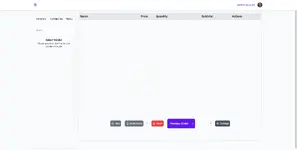
SCREENSHOTS
  • J'aime
Réactions: kulick et Mohamedzaky
Auteur
theresa
Vues
324
Type d’extension
zip
Taille du fichier
738.8 Ko
Première publication
Dernière mise à jour
Évaluations 0.00 étoile(s) 0 évaluations
Link was Broken? Please Envoyer un message à l’équipe NP et nous vous aiderons rapidement !
Soutenez le développeur Si vous êtes satisfait du test ou que votre projet vous a rapporté de l’argent, cliquez sur le bouton « Plus d’informations » pour soutenir le développeur en achetant.

Dernières mises à jour

  1. 1.4.2 - changelog
    no changelog for this version
  2. 1.3.0 - 2023-02-01
    no changelog

Plus de ressources de theresa

Geoport - Transport & Logistics WordPress Theme T
Geoport is the best WordPress theme for logistics, transport, and cargo company Websites.
Admin and Site Enhancements (ASE) T
easily enhance various admin workflows and site aspects while replacing multiple plugins
Masteriyo PRO  - LMS for WordPress Plugins T
You must ensure that you have installed each necessary before you can start using the Masteriyo.

Ressources similaires

Gastro - Restaurant Extension for NexoPOS 3.x M
Gastro is a Restaurant extension for NexoPOS 3.x. It provides a bunch of features designed to ease.
Emailer - Glover email marketing extension | Add-ons C
Emailer isn’t an independent system. This Emailer extension is available only for Glover Project.
Haut