

- Description courte
- Easily manage WooCommerce out-of-stock products with WCOSM. Assign custom low stock values directly from the WordPress dashboard, including live demo and multi-language support. Email notifications for stock alerts and multiple recipients available. Compatible with WPML.
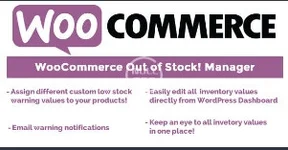
Download Free WooCommerce Out of Stock! Manager Nulled CodeCanyon 13881105
Easily assign custom warning low stock values to all your products/categories!
Edit all inventory values directly from WordPress dashboard!
LIVE DEMO
https://www.codecanyon.eu/wcosm/wp-admin/
user: demo
pass: demo
MULTIPLE & CUSTOM LOW STOCK VALUES
WCOSM is a powerful and flexible tool that lets the shop admin to assign custom low stock values to a set of product and/or categories. Using the custom value configurator the shop admin can:
- Create “Threshold” rules by which the shop admin can assign custom warning low values for sets of products/variations/categories.
- Configure a default warning value for products which do not match any custom value rule.
- Email notifications.
- Multiple email notification recipients.
WCOSM helps the shop admin to speed up the editing and monitoring of the products under custom low levels (or all inventory manageable items) adding a widget directly to the WordPress Dashoboard.
CUSTOM PRODUCT PAGE TEXTS
Using the Texts menu, it is possible to customize In stock, Out of stock, Above custom stock level and Under custom stock level texts showed in product page!
WPML users: text can be translated simply by switching language in the WPML language selector! switch language and then enter the translations for each text!
EMAIL NOTIFICATION SYSTEM
After an order is placed WCOSM checks all purchased products stock left value notifying the Shop admin if one (or more) of the items has reached a configured custom warning level.
NOTE: If you are manually creating/adding orders via backend, after adding line item(s) remember to update their stock value by selecting them, selecting the Reduce line item stock option in the bottom dropdown menu and clicking on the circle button.
By default WooCommerce on manual order creation doesn’t decrease stock values. In this way you will trigger stock values update that will eventually trigger the email notification.
EMAIL MULTIPLE RECIPIENS
WCOSM by default sends email notifications to admin email but optionally can be configured multiple recipeins.
WPML COMPATIBLE
WCOSM is WPML COMPATIBLE


