

- Description courte
- XML Toolkit module for Perfex CRM allows you to Download, View and Export XML data.
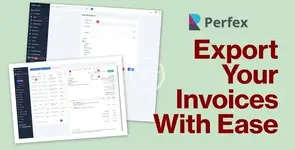
XML Toolkit module for Perfex CRM allows you to Download, View and Export XML data.
The module is fully compliant with EU regulatory for E invoice and allows you to bulk export all your invoices.
Compliance: EU regulatory compliant for E-invoice, supporting bulk exports.
How It Works / Steps to Use the XML Toolkit
Using the XML Toolkit with E-invoice Export for Perfex CRM is straightforward. Follow these simple steps to streamline your XML data management:
- Installation: Begin by uploading the XML Toolkit module file in the Perfex CRM ‘Modules’ section. Click on ‘Install’ to integrate it with your Perfex CRM system.
- Configuration: Once installed, navigate to the module’s settings. Configure the module according to your needs, including setting up any necessary API keys or preferences for E-invoicing.
- View and Manage Invoices: Access your invoices under the XML Toolkit module. Here, you can view all your invoices, and manage them as required.
- Export Invoices: Select the invoices you wish to export and export them in bulk or individually.
- Download and Send E-invoices: Download the exported XML files directly to your system. The module also allows you to automatically send E-invoice XML files via email to relevant parties.
- Permission Management: Manage staff permissions within the module to control who can view, export, or send E-invoices, ensuring data security and compliance.
- Support: If you encounter any issues or have questions, easily access support by opening a ticket through the module’s interface.
This XML Toolkit module is designed to be user-friendly and efficient, ensuring your invoicing and data management processes are streamlined and compliant with the latest regulations.


